





Reaching both a broad and relevant audience on TikTok requires complementary layers of targeting. The campaign objective tells the system who to seek within the crowd, while basic boundaries such as age, location, and language define the audience. Custom audiences built from your website and customer list, and lookalikes derived from them, sharpen that framework with your own data. The final layer is the video itself: a vertical video that speaks to the right person in its opening seconds determines who keeps watching and which responses the system learns from.
Before launching your first campaign, decide four things: your starting objective, how broad to keep the audience, how to measure website sales and what budget supports learning without disrupting it. These decisions also largely determine whether to manage advertising in-house or work with an agency.
How do TikTok ads work?
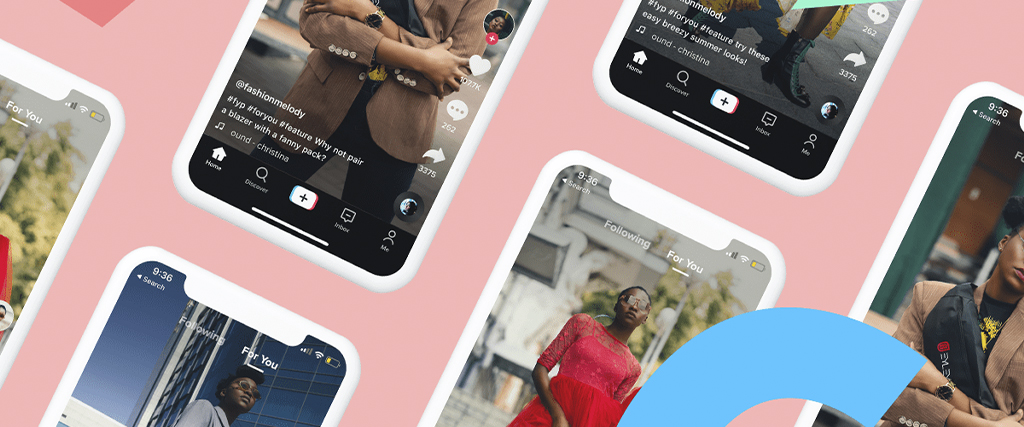
In-feed ads launched through TikTok Ads Manager appear between organic videos in the For You feed. TikTok's video advertising guide for small businesses describes this format as appearing naturally in the For You feed, blending with organic TikTok videos while carrying a clear call to action. Impressions for these ads are purchased through an auction; the ad shown to a user is selected from the advertisers competing at that moment.
Setup in the dashboard has three layers. At campaign level, you choose the objective and can also manage the budget there. At ad group level, you define the audience, placements, budget, bidding strategy and what the system should optimise for; this lets you test different audiences in separate ad groups within the same campaign. At ad level, you upload your video or promote a post from your own account or an account you have permission to use.
The potential audience is large. DataReportal's Digital 2026: Turkey report, based on figures published in TikTok’s advertising resources, states that in the final months of 2025, TikTok could reach 44.9 million users aged 18 and over in Türkiye through advertising. It also notes that this figure is not the platform's total user count. Earning impressions in a pool this large is not difficult; campaign efficiency depends on how much of the spend reaches people likely to buy your product.
For a business already advertising on Google and Meta, TikTok is a new channel competing for the same budget. Before setting up a campaign, decide which stage of the funnel it should serve: introducing the brand to new audiences, bringing back non-buying website visitors or generating direct sales. To see how a campaign that measures every funnel stage is structured, see Pam Ajans's performance marketing agency page.
Match the campaign objective to the funnel stage
Ads Manager groups objectives into Awareness, Consideration and Conversion. TikTok's objective selection guide states that the Reach objective in the awareness category aims to show an ad to as many people as possible. The consideration category includes Traffic to send more visitors to your website or app, Video Views to reach people likely to watch, and Community Interaction to gain followers or profile visits. The conversion category includes App Promotion, Lead Generation and Sales, which aims to sell products through a website or app.
The objective matters as much as audience settings: within your audience, the system seeks people most likely to take the desired action. A traffic objective aims to send more visitors and optimizes for visits. This choice may explain why a store expecting sales gets many clicks but few orders.
For an e-commerce business with website tracking in place, the Sales objective is usually a natural starting point. A lesser-known brand may first introduce itself through Reach or Video Views, building an audience of people who engage with the videos for later retargeting. For service businesses that close sales by telephone or through forms, Lead Generation is a more suitable choice.
Targeting settings and how they interact
The TikTok Help Center's targeting overview groups the options into five dimensions: demographics, audience targeting, advanced targeting, device type and smart targeting. For demographics, the Turkish targeted advertising guide highlights “filters such as age, gender, language and location”. Audience targeting lets you include or exclude audiences built from your own data at ad group level. Advanced targeting uses interests and in-app behaviours, while device targeting considers technical characteristics such as operating system.
How selections combine explains unexpected audience shrinkage. Choices within one dimension use OR logic: in TikTok’s example, selecting the beauty interest and #makeup includes people matching either. Across dimensions, AND logic applies: selecting women and ages 25–44 keeps only people meeting both. Each new dimension filters the audience again, so every extra selection intended to improve precision narrows reach further.
Interest, behavior, and device signals
In Ads Manager, Audience Insights provides aggregated insights drawn from TikTok’s paid and organic data on users active in the past 30 days, allowing you to review their interests, behaviours and demographics before launching a campaign. Its video interaction filters cover watching a video to the end, liking, commenting and sharing. Creator interactions identify the types of creators your audience engages with, such as comedy or drama, while hashtag interactions narrow the audience to viewers of videos carrying a particular hashtag. Device filters include operating system, version and device price. You can use this tool to understand what your audience is interested in instead of choosing interests based on assumptions; TikTok nevertheless notes that these estimates do not guarantee results.
Balancing automated targeting and manual refinement
According to the Smart+ targeting page, updated in July 2026, TikTok uses automatic targeting by default in campaigns built through Ads Manager’s updated Smart+ flow, seeking the best-performing audience with limited input from you. TikTok’s release notes say this flow may not yet be available to every account. In automatic mode, Audience Controls define the basic boundaries of whom you want to reach, while Audience Suggestions provide additional guidance. To switch to fully manual targeting, use “Switch to custom targeting” below the audience targeting section. TikTok warns that this may limit delivery and affect campaign performance.
The Turkish guide clearly describes both sides of broad audiences: “Broad audiences reach many people in a short time, but their engagement is generally low.” Starting broad should not mean leaving everything to the system. If you have a commercial or legal restriction, such as serving only certain cities or selling a product exclusively to adults, set it in Audience Controls. When setting an age limit, consider the amendment to the Regulation on Commercial Advertising and Unfair Commercial Practices that entered into force on 1 August 2026. Under these rules, targeted advertising using profiling based on personal data is prohibited where the consumer is known, or can reasonably be expected to be known, to be a child. Initially, leave interest and behaviour estimates to the system and intervene as results emerge; narrow targeting manually only when you have a data-supported reason.
A newly launched campaign first goes through a learning phase. The Help Center article on the learning phase describes this as the period in which the advertising system identifies the most suitable users for a particular campaign objective, and states that fluctuations usually begin to ease after around 25 campaign results or 7 days. The same explanation lists pausing a campaign or ad group, edits that restart learning, and unreasonable budgets or creative volumes as actions that affect learning outcomes or prevent a campaign from leaving this phase. Frequently changing targeting in response to early cost fluctuations can unnecessarily prolong it.
Use your data with custom and lookalike audiences
A custom audience is a targeting list of people who know or have interacted with your business. It can be created by uploading a customer file, using website or app activity, TikTok engagement, or an audience activation partner. TikTok's custom audience requirements state that a custom audience needs at least 1,000 matched users to be used in an ad group. The help page lists uses including moving previous engagers towards conversion, excluding recent buyers to use spend efficiently, and creating lookalike audiences to find new customers.
A lookalike audience is a model that analyzes people in a custom audience and finds similar new users. To create a lookalike audience, TikTok requires a source audience of at least 1,000 people and offers three size options: Narrow, Balanced, and Broad. Narrow finds fewer people who most closely resemble the source audience; Broad increases potential reach while maintaining a moderate degree of similarity. The Turkish guide describes the trade-off by explaining that a narrow lookalike audience offers more precise results, while a broader one increases reach. It adds that scaling lookalike audiences can be useful when their cost per acquisition is close to that of your custom audiences. Comparing narrow and broad lookalikes from the same source in separate ad groups shows, through data, how much precision you trade for reach.
For an e-commerce website, these two tools can form an initial setup like this:
- An audience built from previous purchasers is excluded from new-customer campaigns, so you do not buy more impressions for people who have already converted. The same audience can also serve as the source for a lookalike audience.
- Visitors who view products and add to cart without completing the order become the audience for videos reminding them of the products they left.
- People who engage with your videos or account form an intermediate audience: familiar with your brand but not yet on your website.
Before uploading a customer list, review with your legal adviser the permissions and privacy notices supporting the use of this data for advertising and its sharing with an overseas platform.
TikTok Pixel, Events API, and cookie consent
TikTok Pixel is a snippet of code added to your website that sends visitors’ on-site actions to TikTok. TikTok lists its functions as measuring site traffic and campaign performance, optimising campaigns and finding new customers. If the system cannot see which impression led to a sale, it cannot learn whom to look for in sales-focused TikTok campaigns; this is why the Pixel should be installed before the first campaign.
The best practices page for new e-commerce advertisers recommends starting with at least three events: View Content, Add to Cart, and Complete Payment. The same page recommends selecting Add to Cart as the optimization event for the first campaign and states that, according to TikTok's research, starting with add-to-cart events helps the system learn which visitors convert. On a site with few orders, purchases may not generate enough learning signals; starting with a more frequent event is one way to bridge that gap.
The Pixel runs in the visitor's browser, while Events API sends events to TikTok from your server or e-commerce platform. On the Events API getting started page, TikTok recommends setting up Events API as a second channel alongside Pixel and lists three integration options: ready-made integrations from commerce platforms such as Shopify and WooCommerce; data partners such as customer data platforms, tag managers or CRM systems; and direct API integration for greater control over data management. Checking whether your ecommerce platform has a ready-made TikTok integration can reduce the need for development work.
Pixel cookies also have legal implications. According to the Turkish help page on Pixel and cookie use, first- and third-party cookies are enabled by default with Pixel, and third-party consent management platforms can be integrated to manage cookie consent. The Guidelines on Cookie Practices, updated in July 2025 by Türkiye’s Personal Data Protection Authority, state that “Cookies used for behavioural advertising require explicit consent” and emphasises that consent without an active user action is not explicit consent. Before enabling Pixel, automatic advanced matching and first-party cookie settings recommended on the best-practices page, ensure your cookie banner does not start advertising tracking without the visitor's consent.
Creative is part of targeting
With broad audiences, the video itself largely determines who stops to watch, and the system learns from those reactions. The video advertising guide mentioned earlier highlights these recommendations:
- Capture attention in the first three seconds, use subtitles for accessibility and add a benefit-focused call to action. Skip long introductions and logo animations.
- Keep most ads between 21 and 34 seconds long.
- Edit video with sound in mind: use popular sounds or tracks from the Commercial Music Library, and match the visuals to the rhythm.
- Use short shots and varied angles, avoiding static, single-angle talking-head footage.
- Refresh creatives every two to four weeks, sooner if results decline.
For technical details, the Help Center’s in-feed ad specifications recommend vertical 9:16 video with at least 540×960 pixels, although horizontal and square formats are also accepted. As the guide notes, most TikTok viewing happens vertically on small screens. If you have only a landscape promotional film, re-editing it for vertical viewing before uploading is an essential step.
Creative also selects the audience. A video that explains in its opening sentence whom the product helps and how naturally filters out viewers without that need; those who keep watching and click become the people whose peers the system seeks. Preparing several videos that address different customer problems, instead of using the same video for every customer type, is one of the most direct ways to differentiate audiences in broadly targeted TikTok campaigns.
Working with Spark Ads and creators
Spark Ads, as TikTok defines it, is a native ad format that uses organic TikTok posts and their features in advertising. You can promote your own posts or creators’ posts with their authorization, granted through a code whose duration can suit the campaign. All views, comments, shares, likes and follows generated during promotion accrue to the organic post and remain there after the campaign ends.
Working with creators also brings Türkiye’s advertising rules into play. Under the amendment to the commercial advertising regulation that entered into force on 1 August 2026, influencer advertising must include “Advertisement” or “Promotion,” together with the advertiser’s name, trade name or another disclosure specified by the regulation, such as “Provided by @[advertiser].” Consumer Protection Law also prohibits covert advertising in all communication media and requires advertisers, agencies and media organizations to comply. You can find guidance on where and how the disclosure should appear in a post in the digital marketing guide.
Alongside in-feed video, the same video guide lists carousel ads for displaying multiple images or products in one ad, branded effects that encourage interaction, catalogue ads for sales, and TopView for major launches. For a business with a limited budget, in-feed video and Spark Ads are often enough to start; other formats become relevant as objectives and budgets grow.
An example of using short video at the top of the funnel appears in Pam Ajans's Holla Gugu case study: it explains the use of Reels and TikTok videos for awareness, and A/B testing short videos against images. If you also plan to use the same vertical videos on Instagram Reels, see our Meta advertising management page for the Meta setup.
Budget and bidding: grow without disrupting learning
According to the budget guidelines in the Help Center, the daily budget must exceed 50 dollars at campaign level and 20 dollars at ad group level. A campaign budget below the ad group budget may also cause delivery issues. The page for new e-commerce advertisers recommends starting the first campaign with at least 30 dollars per ad group per day. If your account uses Turkish lira, check the current equivalent of these amounts in the budget field when setting up the campaign.
According to the bidding strategies page, updated in September 2026, Ads Manager offers two strategies. Target cost per result optimizes delivery around the cost per action you set, while Maximum Results, called “Best Results” in the Turkish help page, aims for the highest possible conversion volume within your budget. If you know your acceptable cost per sale, the first is a clearer starting point; if you first want volume and data, the second is easier to understand.
TikTok also recommends limits when increasing budgets. Under the same guidelines, each increase should not exceed 40 percent for a campaign in the learning phase or 30 percent once learning is complete, and adjustments should be no more frequent than every two days. Also consider the ratio between the daily budget and target cost. An ad group with a daily budget only twice its target cost per sale will generate two sales a day if it achieves that cost. The learning phase guidance explains that most campaigns and ad groups tend to perform more consistently as they collect more results and run longer; at two sales a day, that accumulation is slow. In this situation, initially optimizing for add-to-cart events or gradually increasing the budget within the recommended limits may help the system collect data faster.
Ad review, account health, and reporting
Every ad goes through TikTok's review before going live. According to the advertising policy resources, most ads are reviewed within 24 hours. The review considers the eligibility of the promoted product or service, the target market and age group, consistency between the ad and landing page, and whether the landing page works. Advertisers are also expected to comply with all applicable laws and rules in the regions they target.
Problems may extend beyond individual ads. TikTok states that accounts that violate its policies may be suspended and notes that compliance of the account and its ads with policies can be monitored in the Account Health tab in Ads Manager. Changes to an ad’s landing page after a campaign has been created are also listed among the reasons for suspension. If a major page change is needed during a campaign, proceeding with a new ad is one way to reduce this risk. For the reasons Meta accounts may be disabled and the steps to take afterwards, see the guide to disabled Meta ad accounts.
When reading reports, it is normal for the number of sales shown on TikTok to differ from the number shown by your website or analytics tool. TikTok attributes a sale to a campaign if it occurs within a specified period after an ad click or view. Rather than treating the difference as an error, it is more useful to track week-to-week trends with the same setup and regularly compare results with actual orders. You can find an explanation of how attribution rules differ across platforms, and definitions of abbreviations such as CPC, CTR, CPA and ROAS, in the digital marketing glossary.
Should you manage it in-house or work with a TikTok advertising agency?
The decision depends less on learning to use Ads Manager than on the workload surrounding the campaign. Refreshing creatives every two to four weeks requires a team or budget capable of filming and editing several new vertical videos each month. Setting up Pixel, Events API and cookie consent is an initial technical task. Regular monitoring is also needed to respect the learning phase, scale budgets within recommended limits and compare reports with actual orders.
Starting TikTok advertising in-house makes sense if someone on your team can explain the product on camera, your website has measurement in place and you can devote time to campaigns every week. An agency can speed things up when TikTok needs to share a budget plan with Google and Meta, creative production needs structure, or measurement needs a stronger foundation. When speaking with an agency, clarify the following:
- The ad account and Pixel should remain in your company’s Business Center, with the agency working through an access request. TikTok specifies this route for working in another business’s ad account.
- Reports should include business results such as orders, acquisition cost and return on ad spend alongside impressions and clicks.
- There should be a written plan showing which creative will be tested with which audience, and for how long.
- Agree in advance how creator partnerships will disclose advertising and how landing-page changes will be reflected in the campaign.
If you would like to explore together the role TikTok could play alongside your existing Google and Meta advertising, leave us a message through our contact page.