





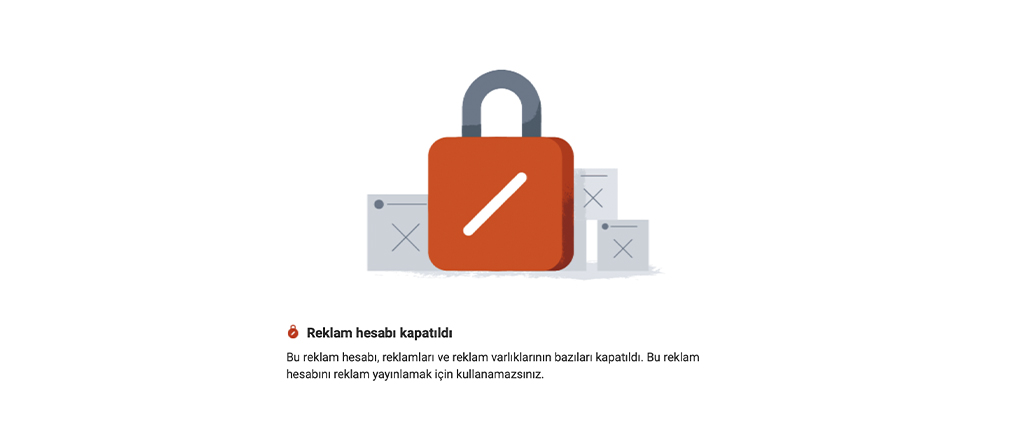
Meta may restrict or permanently disable an ad account because of serious or repeated violations of its advertising policies, an unpaid balance, or unusual account activity. Meta Business Support Home shows whether the account has been disabled, whether advertising restrictions apply, and what steps you can take. For payment-related closures, pay the outstanding balance. For security-related restrictions, verify your identity and enable two-factor authentication. For policy decisions, resolve the violation and request a review if the decision is incorrect.
After discovering a closed or restricted account, opening another and continuing may seem tempting. However, Meta treats attempts to evade enforcement as a separate reason for restriction, so the replacement may face the same sanction. First identify the affected account and issue, then take the appropriate action.
Identify which account is restricted
Meta's About Advertising Restrictions page explains that the four assets used in advertising may each be restricted separately. The affected asset determines who must act and whether ads can continue through another account. Meta defines an ad account as the account used to manage ads across its platforms. What people describe as a closed Facebook ad account is a restriction affecting one of these four assets.
- If the business portfolio managing your Facebook Pages, Instagram accounts and ad accounts is restricted, the portfolio cannot advertise.
- Restricting an ad account disables the account, its ads and certain advertising assets.
- If a Facebook Page is restricted, ads cannot run on behalf of that Page.
- A restricted personal profile cannot advertise through Meta products; ad accounts for which that person is the sole user may also be disabled.
The distinction matters: Meta says that if a restriction applies to one person's profile, other members of the portfolio, ad account or Page may continue advertising. If an external team manages your ads, for example an agency providing Meta advertising management services, first establish whether the restriction concerns a team member's profile or the business's own ad account. This flexibility disappears when the restricted person is the account's only user.
A restriction does not always mean that all advertising stops. The sanctions Meta lists range from limits on daily spending or a lower payment threshold to losing access to certain payment and advertising features, and ultimately losing the ability to advertise entirely. When Meta detects unusual account activity, it may also temporarily restrict actions such as adding administrators or users and creating new ad accounts while it investigates. Its Turkish help pages use the terms restriction, disabling, and closure; some advertisers describe the same situation as an account being “frozen.” An account described as closed or disabled cannot run ads, while an account with a reduced spending limit may continue advertising with a smaller budget.
Not every closure signals a violation. The help page on creating new ad accounts also mentions accounts closed after 60 days without use or spending. This may explain why an old account you have not used for a long time appears closed.
Check the account's status in Business Support Home
The status of your business portfolios, ad accounts, catalogs and Pages is brought together in one place on Meta Business Support Home. Here you can see whether your accounts have been disabled or are subject to advertising restrictions. Current issues and available actions are listed under “Outstanding” in “Recent account issues”; clicking an account opens its details.
The “What you can do” section on a restricted account’s page also provides clues about the type of issue. Meta’s troubleshooting page for disabled or restricted accounts explains that this section may show steps such as confirming your identity, completing verification, securing your account, enabling two-factor authentication or requesting a review. The steps vary by restriction type and process stage. According to the same page, the review option may be available for accounts restricted for policy violations.
Meta states that the link in an ad rejection email takes you to Business Support Home, where you can also find the reason for rejection. Its Advertising Standards refer to Account Quality as the place to request a review of the decision.
You may first notice the problem on Instagram. If the app displays a warning such as “You can’t create a promotion because your ad account is inactive” when you try to boost a post, the warning concerns the ad account associated with the boost; there may be nothing wrong with the post itself. Instagram allows posts to be boosted with or without a Meta ad account. If you use a linked Meta ad account, check Business Support Home for restrictions and “Billing & payments” for payment issues.
Why does Meta disable advertising accounts?
Meta explicitly states that it reviews advertisers’ and sellers’ behavior and may impose restrictions on advertising or selling features in certain circumstances. Behaviors that can lead to account restrictions are listed on Meta's ad review page in four categories:
- Severely or repeatedly violating policies.
- Evading or attempting to evade reviews and enforcement measures.
- Using inauthentic user accounts to create business assets and publish ads.
- Managing business assets connected to other assets used for abuse, or exhibiting behavior similar to commercial assets previously removed from the platform.
Alongside these four categories, Meta's help pages separately address unpaid balances and unusual account activity. The reason behind the account-disabled notification determines your next steps; the sections below explain what to do for each cause.
Fix the ad and landing page after a policy violation
Ad review may cover the landing page as well as the ad's image, video, copy and targeting information. The Advertising Standards state that reviews are primarily automated, usually finish within 24 hours, and may occur again after an ad goes live. Ad rejection and account restriction are separate decisions. Re-uploading rejected ads without fixing them can become the repeated violations Meta lists as a reason for account restrictions.
Some easily overlooked ecommerce advertising rules include:
- Products and services advertised must match those on the landing page. If the advertised product or discount is absent, or the link opens another product, that match is broken.
- Ads cannot state or imply personal attributes. In Meta’s example, “Has depression turned your life upside down? Get help now” is not allowed, while “Depression counseling” is allowed. Addressing someone as “you” is permitted without asserting a personal attribute.
- Ads for diet, health, weight-loss and weight-gain products and services must target people aged at least 18. Weight-loss and weight-gain ads must not use language that demeans physical appearance or close-up images showing fingers pinching body fat.
- Ads must not include copyright- or trademark-infringing content, counterfeit products copying another company’s name or logo, or unlicensed music. An ad may be rejected or removed following a rights holder’s complaint.
Meta also considers it the advertiser’s responsibility to understand and comply with applicable laws and regulations, and lists ad cancellations and account closures among the consequences of non-compliance. For a store selling online in Türkiye, one of these obligations under the Distance Contracts Regulation is the pre-contract information that must be provided to the consumer before the contract is concluded. You can find the legal documents that must appear on the website linked from an ad in our article on e-commerce website setup.
If the issue lies in an ad's content, edit it to comply with the policies or create a new ad. An edited ad is treated as new and reviewed again. If you believe the decision is mistaken, it is more consistent to disable other potentially violating ads before requesting a review.
If payment fails, settle the balance first
If Billing and Payments shows an error stating that the account has an unpaid balance, the closure is most likely payment-related. According to the Turkish help page on failed payments, ads are paused and the ad account is disabled until the outstanding amount is paid; no additional charges accrue during this period. Unlike policy-related restrictions, when an ad account is disabled because of payment, Meta’s stated solution is to settle the balance.
To understand a failed charge, check the possibilities Meta lists: insufficient funds or card limit, an expired card, a bank declining the transaction under its internal rules, or a card disabled for online payments. For security, Meta also limits the number of accounts using one payment method. Its failed-payments page says a payment method can generally be added to no more than 10 ad accounts. Businesses using one corporate card across many accounts need to account for this limit.
To settle the balance, select the ad account under Billing and Payments, open Payment Methods, then click Pay Now and choose an existing method or add a new one. In some cases, adding funds using Add Money also resolves the issue; it may take time for the account to recover after the balance is cleared this way. Active or scheduled ads resume after payment. If payment continues to fail, Meta recommends trying another card later.
If the charge itself appears incorrect, before paying, go to Payment Activity under Billing and Payments, click the charge’s Transaction ID and check the billing reason on the receipt. The help page on unrecognized activity also recommends checking unfamiliar charges with anyone who shares your payment method or ad account.
Verify your identity for a security-related restriction
When unusual account behavior is detected, Meta may ask you to confirm that you are the person taking these actions, rather than an unauthorized user. According to its troubleshooting page, identity verification is usually required to restore the account. This may involve the email address associated with the account, a telephone number that can receive SMS, a photograph of a passport, driving license or identity document, or the payment method linked to the account. Preparing these documents in advance helps, as you may have a limited time to complete verification after starting the process.
Some security restrictions relate directly to two-factor authentication. Meta may require users of a business portfolio created more than 90 days ago to enable it, restricting access to Meta Business Suite tools for security reasons if they do not. Access is restored once authentication is enabled. In some cases, someone with full control of the portfolio must also approve your access as a final step.
If you suspect the account has been compromised, secure your personal profile first. At facebook.com/hacked, the address Meta directs you to, you will be asked to change your password and review recent logins. Then check who has access under “Ad account roles” and review unfamiliar charges in the payment activity list described above. When Meta detects suspicious activity, it may have removed administrators or paused ads to recover the account; if you believe someone else has taken control, you are asked to report it to Meta.
Pay attention to messages received throughout the process. You can verify emails, texts and calls from anyone claiming to represent Meta through Business Support Home. Check there before clicking a link promising account recovery or giving anyone your login details.
Do not try to bypass a restriction with a new account
Quickly opening a replacement for a closed account may fall under the enforcement-evasion reason listed above. The Inauthentic Behavior policy also prohibits using inauthentic assets, including Business Manager accounts, to evade enforcement. A second profile replacing a restricted one, or a new portfolio managed by the same people, may face another restriction under these rules.
Creating a new account may not always be technically possible. Meta says that if one or more existing ad accounts are in poor standing, you may receive an error when creating another. All advertisers are also limited to one ad account until they make a confirmed payment.
Renting someone else’s ad account or buying administrator access is not a solution either. Meta’s Advertising Standards prohibit selling, renting, buying or exchanging site privileges such as administrator access, as well as helping anyone evade or circumvent enforcement. The same standards require agencies managing advertising for others to use a separate ad account for each client and not change the advertiser associated with an established ad account.
How do you restore a disabled ad account?
If the restriction is based on a policy violation and you believe the decision is mistaken, you can ask Meta to review it. Advertisers call this an appeal, while Meta’s pages refer to it as a review request. Only an administrator of the account can submit the request. On the request-a-review page, the steps are as follows:
- In Business Support Home, select “Account status overview” from the left-hand menu.
- Select the restricted account.
- Click “Request review” under “What you can do,” then complete the on-screen steps.
If asked to provide an explanation with your request, briefly and factually describe what your business sells, the website your ads lead to, what changed in the account before the restriction (such as a new administrator, new card or login from another country), and that you have disabled any potentially problematic ads. If documents are requested, submit those consistent with your business’s official records.
Meta says reviews are usually completed within 48 hours, though some take longer, and the decision is sent by email. Review requests are not unlimited: Meta states that only a limited number of advertising restriction reviews may be requested and that the decision after review is final. That makes complete information in the first request important.
If the restriction is lifted, the account is restored and you can advertise again. Ads that were running before the restriction do not automatically restart; you must turn them back on in Ads Manager. If the decision remains unchanged, the restriction stays and the account is blocked. According to the troubleshooting page, if an ad account disabled for a policy violation remains ineligible for reactivation for 6 months, unused prepaid services may be forfeited where legally permitted, and the account cannot be restored after that period. Meta also reserves the right to permanently close the account before that period ends under certain conditions.
If the review option is unavailable or the process is not progressing, Meta says you can contact support through Business Support Home or the “?” button in the Ads Manager navigation bar. If you have a sales representative, you can also contact them.
Protect your account against further restrictions
Some precautions below come from Meta's recommendations; others establish a simple structure for who manages the ad account and with which permissions:
- In the Security Center under Settings in Meta Business Suite, make two-factor authentication mandatory for everyone with portfolio access, as Meta recommends.
- Give more than one person full control of the portfolio. Meta also considers this useful so another person can continue management if someone leaves.
- Assign roles through the portfolio rather than sharing passwords with an agency or freelancer. If you boost Instagram posts using a connected Meta ad account, remember that anyone logged into the professional account can use that ad account and access payment information.
- Add a backup payment method, track card expiry dates and ensure sufficient funds or credit before the monthly billing date. If your card limit is low, reduce the payment threshold to fit it.
If you want to manage your advertising account with your own team, our e-commerce and advertising training at Pam Ajans also covers using Facebook and Instagram advertising tools, audience analysis and campaign tracking with tools such as the Meta pixel. If you are considering handing Meta advertising management to a team, you can request a proposal through our contact page.